Hello everyone 
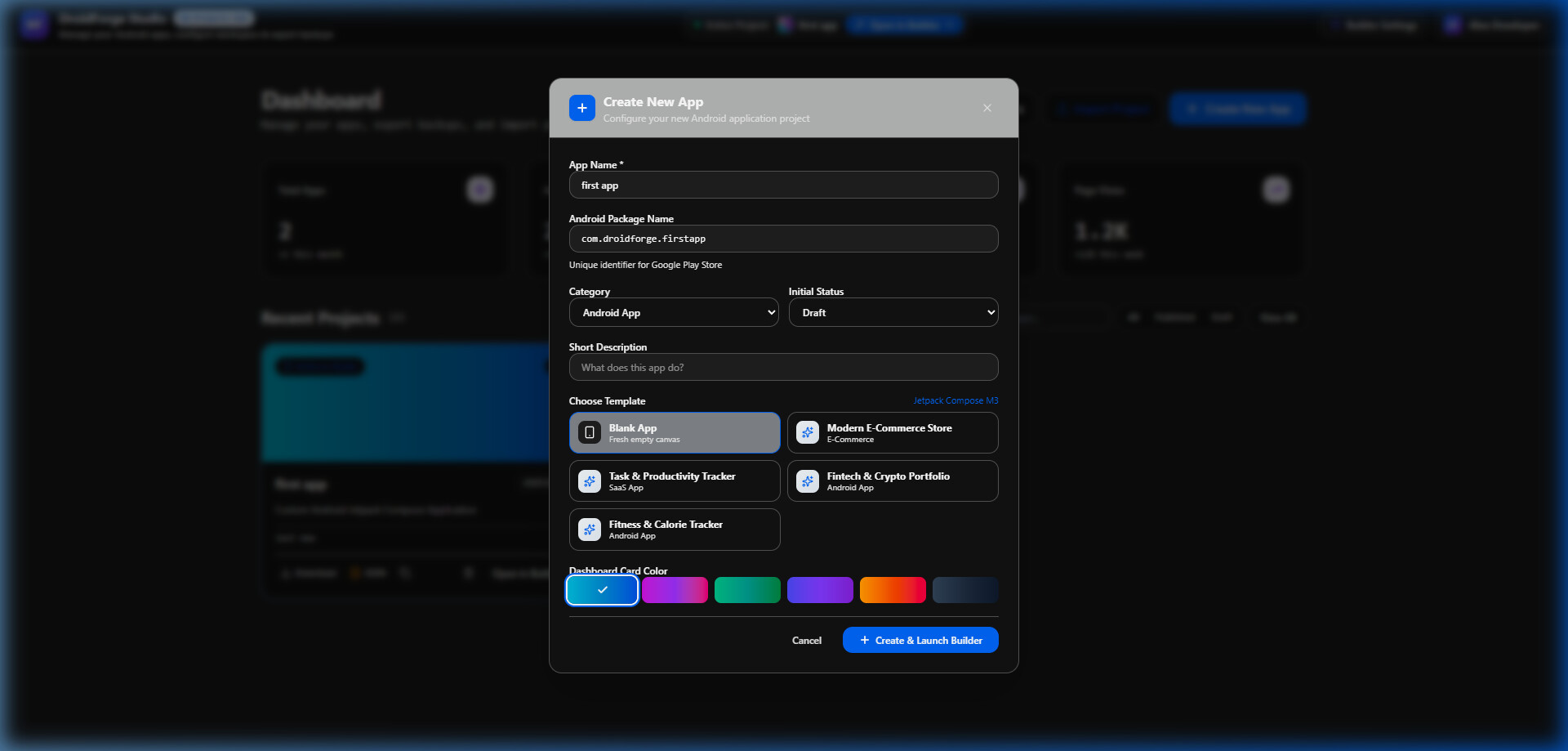
1.  App Creation & Template Dashboard
Configure new Android app projects, set package names (com.droidforge.app), choose starter templates (Blank, E-Commerce, Productivity, Crypto, Fitness), and customize project dashboard card colors.
2.  Main Visual Canvas & Component Palette
Drag & drop 170+ Material 3 Android components (Buttons, Inputs, Cards, YouTube Player, Maps, Camera). Adjust margins, padding, elevation, corners, and visibility modes on the real-time phone preview stage.

3.  Component Layout Hierarchy Tree
Inspect and organize the full component node tree. Expand, collapse, re-order layout containers, and manage non-visible background components (Sensors, Storage, Audio, APIs).

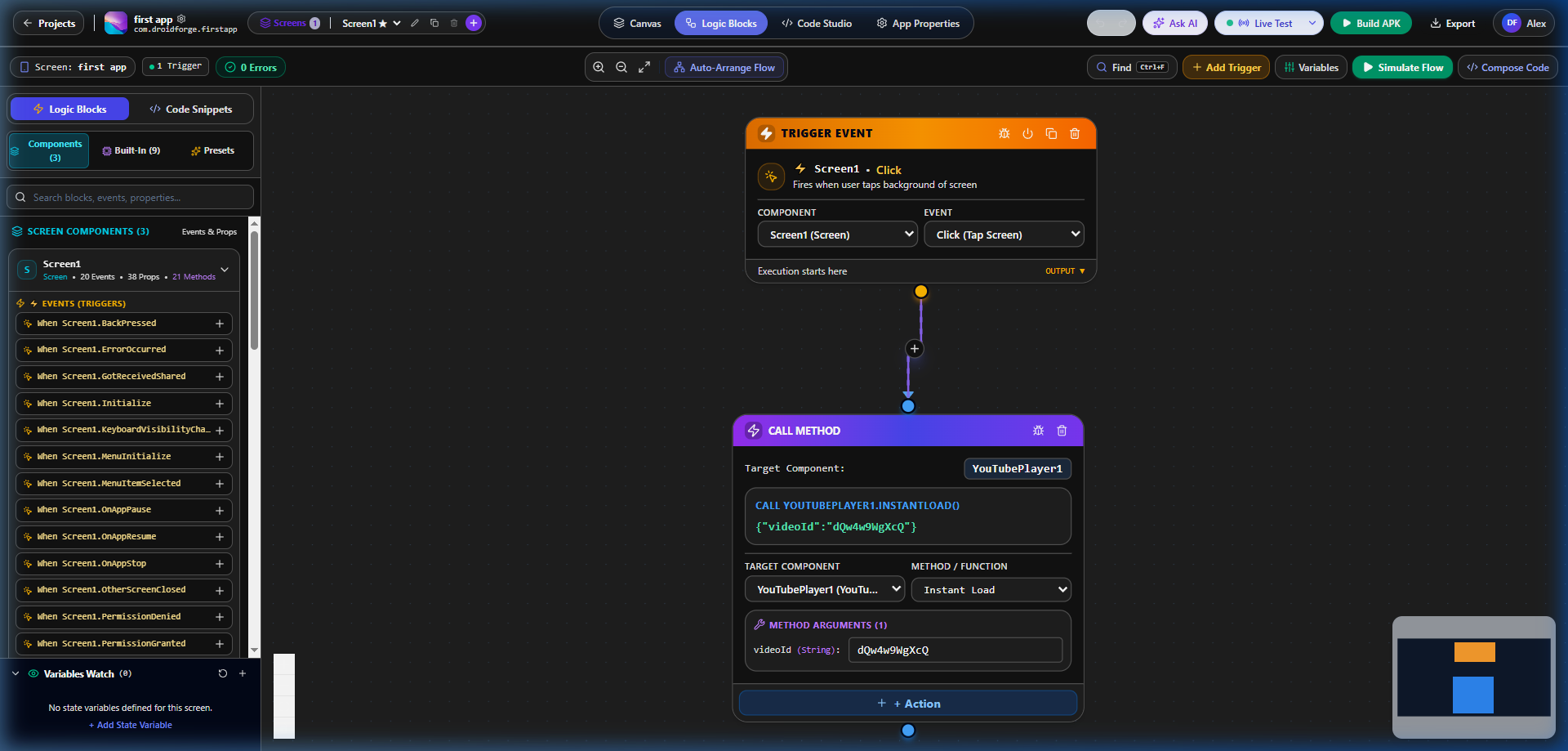
 Visual Logic Flow Node Editor
Connect visual trigger blocks (OnClick, OnScreenCreate) with action nodes (Call Method, Show Toast, Navigate, Firebase Write) using an interactive node graph with live variable watch.
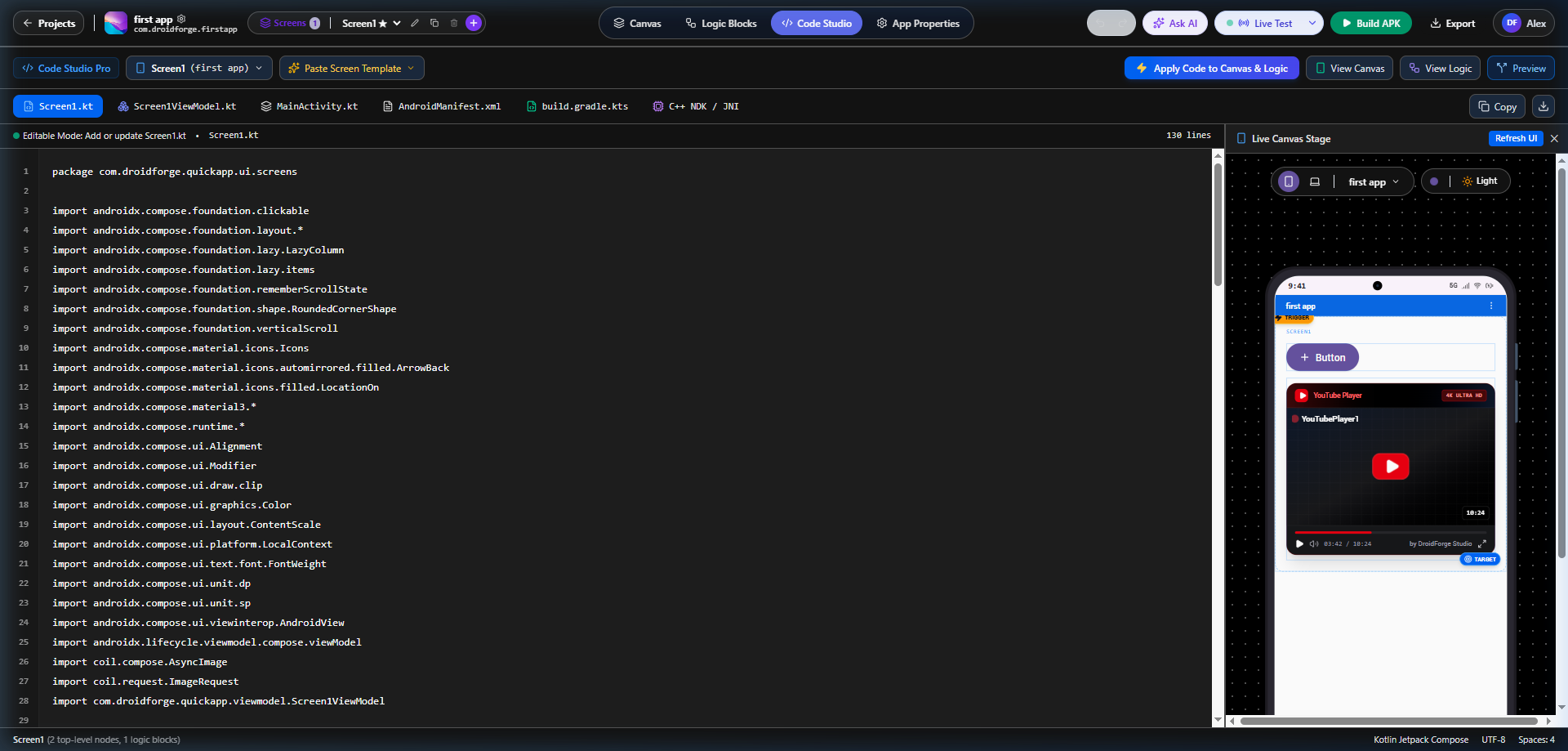
 Code Studio & Jetpack Compose Live Preview
Inspect fully functional Kotlin Jetpack Compose code (Screen1.kt, ViewModel.kt, MainActivity.kt, AndroidManifest.xml, build.gradle.kts) side-by-side with live stage rendering.
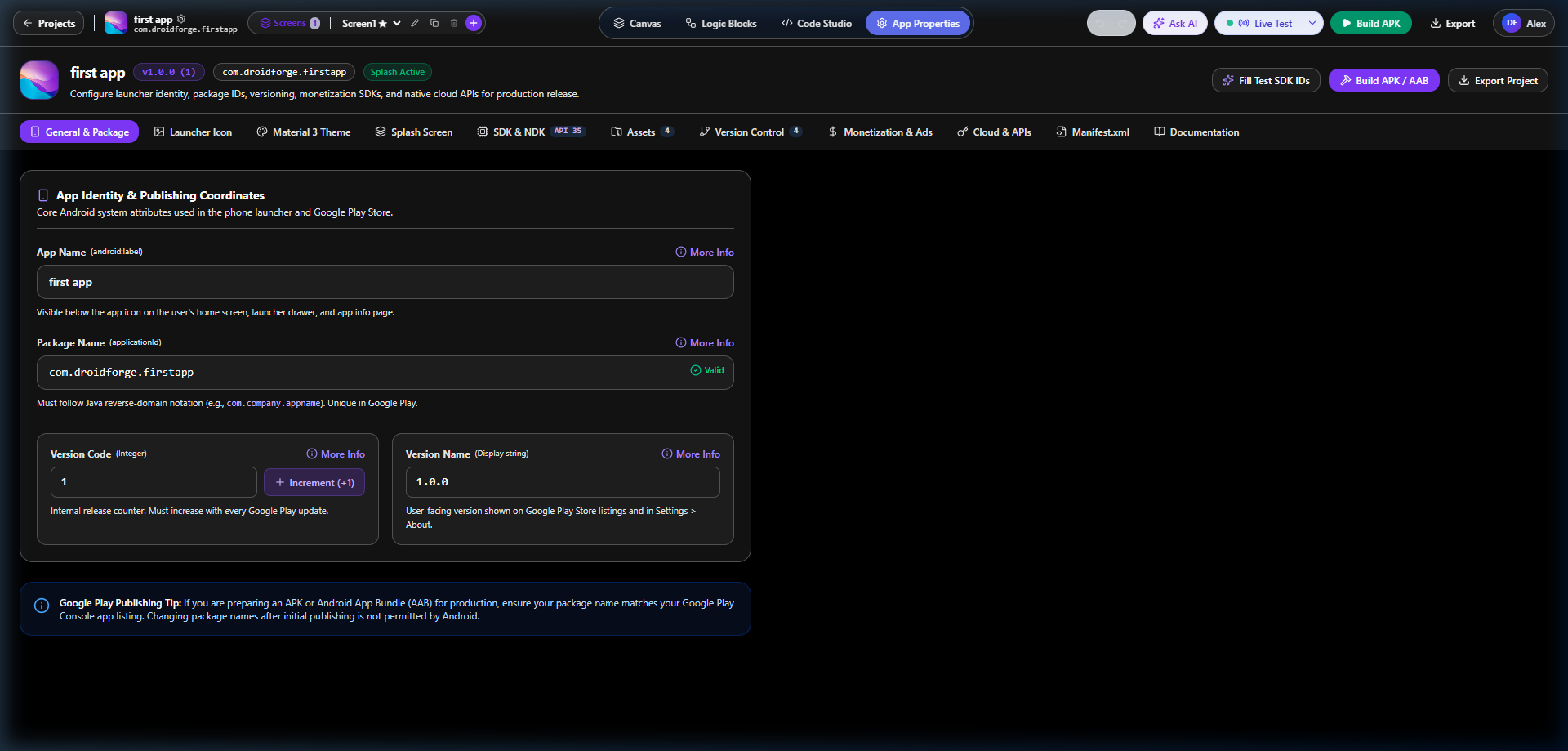
App Identity, Publishing & App Properties
Configure core Android identity coordinates: App Name, Package Name, Version Code, Version Name, Launcher Icons, Splash Screen, SDK/NDK levels, Monetization & Ads, and Cloud APIs.
What DroidForge Studio currently includes
-
Visual Drag & Drop Canvas for Android UI design
-
 Component-aware Logic Blocks with events, properties and methods based on components used on the screen
 -
 Visible and Non-Visible Android Components
 -
Live Testing / Companion workflow
-
Jetpack Compose + Kotlin Code Studio
-
 Ability to move between Canvas, Logic and Code
 -
 Native APK building
 -
 Android project/code export
 -
 AI-assisted Android app generation
 -
 Custom Component Studio
 -
 Support for defining Android libraries/dependencies for custom components
 -
 App-level configuration for package name, version, SDK, assets, manifest and related Android settings
 -
Builder themes and customizable IDE appearance
One part I’m particularly experimenting with is the component-aware block system.
Instead of showing the same large block collection everywhere, the idea is that when you add a component such as a YouTube Player, Button, Map, Firebase component, sensor, etc., the Logic Editor can expose the events, methods and properties relevant to the components actually present on that screen.
For example:
Button1.Click
can trigger:
YouTubePlayer1.Load(videoId)
while the available YouTube Player blocks can include its related methods, events and properties.
Another area I’m developing is the connection between visual development and actual Android code. A screen can be visually designed and represented as Jetpack Compose/Kotlin, with a live canvas preview so developers can inspect or continue working closer to the native Android layer.
There is also a Custom Component Studio where the long-term goal is to make it easier to create reusable components with configurable properties, Android dependencies/libraries and Compose implementations instead of requiring every component to be permanently hardcoded into the builder.
The project is still under development, so I’m sharing it primarily to get technical feedback, ideas and testing help from people who already understand visual Android builders.
I’d especially appreciate feedback about:
Component architecture • Logic block UX • Events/methods/properties • Extension/component system • Native Android integration • Live testing • Project export • UI/UX • Missing components
GitHub:
DroidForge Studio
github.com/Adnan10p/droidforge-studio
The project is public, so developers are welcome to inspect it, test it, report issues, suggest improvements or contribute.
Thanks to the visual-development community for the inspiration and for any feedback you can provide.